
AthleticAPP
Athletic+Sports
2.0225.00 Reviews
- Version
- 1.21.10
- Installs
- 100.00K
- Age Rating
- Everyone
Screenshots
Our Review of AthleticAPP
 Analysis by Appyee
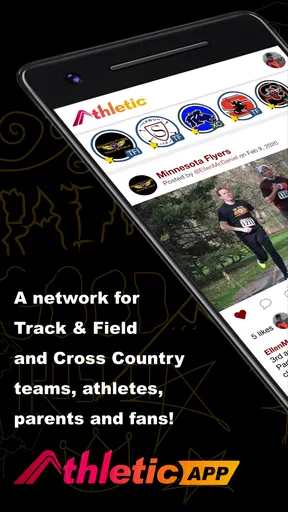
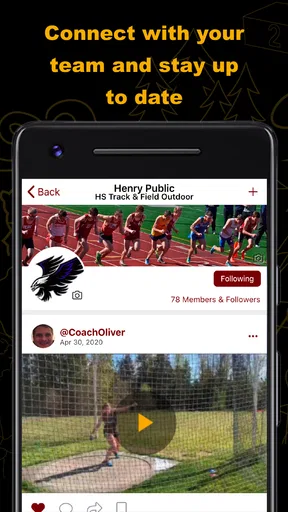
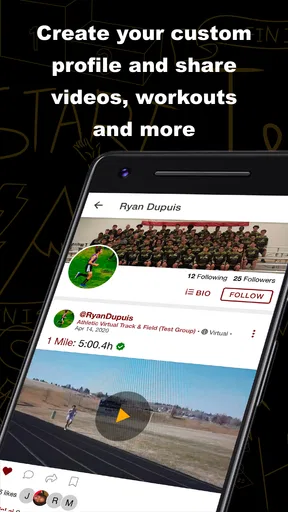
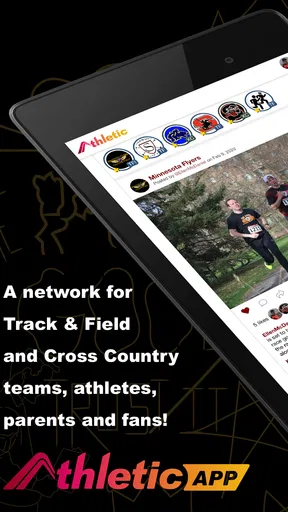
When I first opened AthleticAPP, I understood its appeal quickly: it is built for the communication problems that sit between a cross country or track and field team, its coaches, and the people attending or competing at an event. Rather than treating the sport as a solo fitness activity, it focuses on the practical side of team participation, including virtual entry and team communication. That makes it a very different proposition from a running tracker, a general messaging app, or a simple event calendar.
My overall impression is mixed but useful. The idea is focused, and a team that already uses the service can benefit from having its event-related information in one place. At the same time, the average rating is only 2.0 from around 400 ratings, so I would not recommend installing it blindly and expecting a polished, universally satisfying experience. I see it as a team-specific tool: worthwhile when a coach or organizer has made it part of the team’s routine, but much less compelling as a standalone download.
How AthleticAPP fits into a real team routine
The most sensible way to use AthleticAPP is to begin with the team’s existing process rather than trying to make the app replace everything. If I were joining a school or club squad, I would first check whether the coach expects athletes and families to use it for entries, event details, or announcements. That answer matters more than the app’s general description, because its value depends heavily on whether the relevant team is active inside the system.
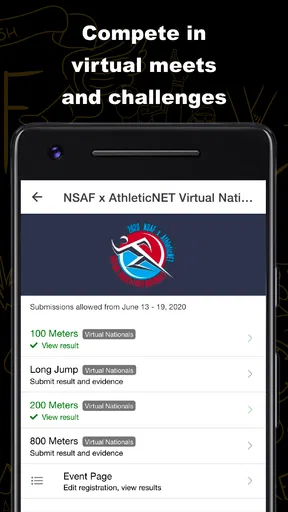
A practical race-day workflow could start several days before competition. I would open the app to review the team’s communication, confirm the event information available to me, and complete any virtual entry task that applies. Then I would return shortly before leaving to check for changes or reminders. On the day itself, I would use the app as a reference point rather than relying on memory, scattered messages, or a paper note.
That repeatable habit is more important than constantly browsing. Team apps can become frustrating when users open them without knowing what they are looking for. I found it more useful to treat each visit as one of three jobs: check an announcement, handle an entry, or confirm what I need for the next competition. Keeping those purposes separate makes the experience feel less cluttered.
The key strength is coordination, not athletic analysis. AthleticAPP should not be judged against apps that record pace, map runs, build training plans, or analyze heart-rate data. It serves the administrative and communication layer around participation. If your main goal is to improve personal performance, a dedicated running or training app will be a better companion. If your problem is knowing what your team expects before an event, this app is more relevant.
Who gets the most value from it
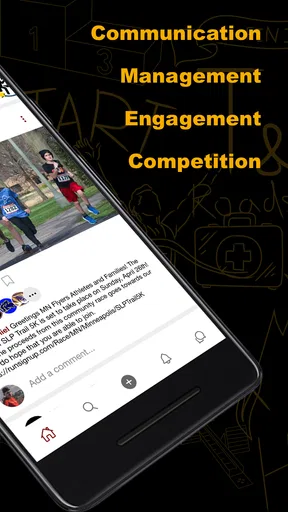
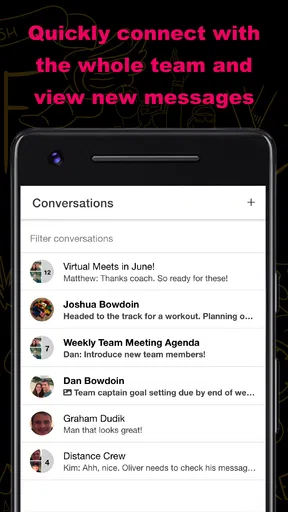
I think the best audience is an athlete, parent, coach, or team volunteer who needs a direct connection to a cross country or track and field organization. Coaches can use a shared channel for information that otherwise gets lost among text messages. Parents may appreciate having a place to revisit event-related instructions instead of searching through a busy conversation. Athletes can use it to stay aligned with the team’s process, especially when several meets are scheduled close together.
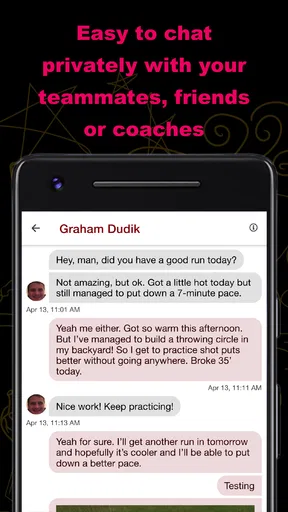
It is also suited to people who prefer a dedicated team space over a general-purpose group chat. A messaging app is flexible, but that flexibility can create noise: unrelated conversations, missed announcements, and uncertainty about which message is current. AthleticAPP’s narrower purpose can make the important material easier to identify when the team actually uses it consistently.
That last condition is important. If a coach still communicates everything through email, paper notices, or another messaging service, installing this app may add another place to check without removing any existing work. I would ask the team organizer which channel is authoritative before encouraging every family to adopt it.
What the first setup should accomplish
After installing it, I would avoid spending time exploring every screen without a clear reason. First, I would make sure I am connected to the correct team or event context. A wrong team selection can make an otherwise useful app appear empty or irrelevant. Next, I would look for the area used for communication and the area used for virtual entry, keeping in mind that those are different tasks even if they appear close together.
I would also make a small personal routine: check the app at a planned time before each competition, and check again if the coach says that information has changed. This is more reliable than leaving notifications or app icons to compete for attention. It also reduces the temptation to assume that an old event screen still represents the current instructions.
For families sharing responsibility, it helps to agree on who completes an entry and who checks announcements. Duplicate effort can be just as confusing as missed effort. One person can handle the registration step while another confirms the practical details, but both should know where the final information lives.
Settings and account choices worth checking
The settings deserve a deliberate look, especially if the app is going to be used throughout a season. I would review notification behavior first. Team communication is only useful when important updates are visible, but receiving every minor alert can lead to notification fatigue. The right balance is to keep event-critical communication noticeable while avoiding a habit of dismissing everything automatically.
I would also check which account or team identity is active before completing an entry. This is a simple step, but it is one of the most valuable safeguards in a team environment where a parent may manage information for more than one athlete or where a coach may work with several squads. A quick identity check is faster than discovering later that an action was attached to the wrong group.
Because the app is free to download but includes in-app purchases ranging from $9.99 to $95.00 per item, I would pay attention whenever a workflow moves toward a paid action. The free installation does not mean every possible service inside the app is free. I would read the purchase screen carefully, confirm what the charge relates to, and avoid tapping through quickly during a busy registration period.
That is especially relevant for younger athletes. The app has an Everyone content rating, but an age-appropriate rating is not the same as permission to make purchases without adult oversight. Parents should decide who handles payment-related steps, and athletes should know when they need to stop and ask before continuing.
I would also keep the app updated when a new version is available. The current version is 1.21.10 and supports devices running Android 7.0 or later. For someone using an older phone, checking compatibility before an important meet is sensible. I would not wait until the morning of competition to discover that an aging device cannot install or run the current release.
Small habits that make the workflow faster
My first useful shortcut is to separate preparation from last-minute checking. Complete the virtual entry as soon as the coach opens the process, then use later visits only to verify communication and changes. Trying to perform every task in one rushed session increases the chance of overlooking a required detail or confusing an old event with a new one.
My second habit is to create a personal “next action” after reading a team message. If the message requires an entry, I do that immediately. If it only changes a meeting detail, I note the change in my normal calendar or reminder system. AthleticAPP can be the source of team information without needing to become my entire personal planning system.
The third is to check the app before asking a question in a group conversation. I would first look for the latest team communication, then ask the coach only if the answer is genuinely missing or unclear. This avoids repeating questions that have already been answered and helps keep the team channel focused.
For coaches, a repeatable posting pattern could help: put the event name and the action needed near the beginning of each message, then add the supporting details. I am not treating that as a special feature of the app; it is simply a practical way to make a communication-focused tool easier to scan. When athletes open the app between classes or while traveling, clear structure matters.
Another useful distinction is between information that changes and information that remains stable. I would look to AthleticAPP for current team communication and entry instructions, while keeping permanent personal details elsewhere. That prevents the app from becoming a storage bin for unrelated notes and makes each visit quicker.
Where it compares well with ordinary alternatives
Compared with a general group chat, AthleticAPP has the advantage of being purpose-built around a sports team’s communication and virtual entry needs. A chat app may be faster for casual conversation, but important details can disappear under replies, images, and unrelated messages. A dedicated team environment can be easier to revisit when I need the instruction connected to an event rather than the latest conversation.
Compared with email, the app can feel more immediate for athletes who do not regularly check their inbox. Email remains better for long explanations, formal records, and people who want searchable correspondence, so I would not expect AthleticAPP to replace it in every organization. The strongest arrangement may be to use the app for active team coordination and email for broader notices or documentation.
Compared with a running tracker, the difference is even clearer. AthleticAPP is not where I would go to study a training route, compare splits, or review a personal workout. Its usefulness begins when the question changes from “How did I run?” to “What does my team need me to do for this event?” Choosing the right tool for that question prevents disappointment.
Compared with a paper sign-up sheet, a digital entry process can reduce the need to pass forms around and can make participation easier to manage remotely. However, a paper system is sometimes clearer for a small team with limited technical confidence. If only a few athletes participate and the organizer already has a reliable manual process, the app may not save enough effort to justify adding another routine.
Limitations that affect everyday use
The low average rating is the clearest warning sign for me. A 2.0 average from around 400 ratings suggests that many users have encountered enough friction to report a poor experience. Ratings do not explain every individual problem, so I would not assume the app fails for every team, but I would take the signal seriously and test the exact workflow before making it central to a season.
The app’s narrow purpose is both its advantage and its limitation. If your team does not use AthleticAPP as the official communication and entry channel, there may be little to see after installation. It is not a universal sports dashboard that automatically becomes useful just because an athlete runs or competes.
There is also a coordination cost. Every additional communication channel creates a responsibility to check it. If the coach posts an update in AthleticAPP but families continue to rely on text messages, some people may miss the change. The organizer should clearly state where final instructions appear and avoid splitting urgent information across several platforms.
Payment-related actions deserve extra caution as well. The presence of purchases from $9.99 to $95.00 means users should not treat every button as part of a free basic workflow. I would want the person responsible for the team to explain which steps are expected, which are optional, and who should authorize a charge before athletes or parents proceed.
What experienced users should not expect
I would not expect personal performance tools, training analytics, or a replacement for a coach’s judgment. The app’s role is communication and virtual entry for cross country and track and field teams. Trying to force it into a training-management role would make the experience feel incomplete when the real issue is simply that it was designed for a different job.
I also would not assume that installing the latest version automatically solves organizational problems. Software cannot compensate for unclear team instructions. A coach still needs to identify the event, state the action required, and tell athletes where updates will appear. Users can create better habits around the app, but they cannot make an inconsistent communication plan reliable on their own.
For that reason, I would judge the app at two levels. First, does it perform the team’s required communication or entry task on the device being used? Second, does the organization use it consistently enough that everyone knows when to open it? A “yes” to only the first question is not enough for a smooth season.
My recommendation after using it as a team tool
AthleticAPP is worth considering when a cross country or track and field team has already adopted it and can explain exactly how it fits into event preparation. I like the focused idea, and I can see the benefit of keeping team communication and virtual entry connected instead of scattering them across paper, email, and chats. The best results come from a simple routine: check the correct team, complete entries early, review updates before an event, and treat paid actions with care.
I would skip it as a casual personal download if I were looking for running motivation, workout analysis, or a general sports community. I would also hesitate if the team has no established process for using it, because the app could become one more place to search for information. In those situations, a familiar messaging platform, email workflow, or dedicated training app may be the better choice.
For a team that does use it, AthleticAPP can be a practical utility rather than an exciting app. That is not necessarily a criticism. Its success depends less on entertainment and more on whether it reduces confusion around participation. The developer, Athletic+, has positioned it for a specific sports communication need, and the free download makes trying the team’s workflow straightforward, while the in-app purchase range means adults should stay involved in payment decisions.
My final verdict is cautious rather than enthusiastic: AthleticAPP makes sense when it is the team’s agreed working space, not when it is expected to create value by itself. I would install it after confirming the team’s process, test one complete entry-and-communication cycle before relying on it, and keep a backup habit of checking the coach’s primary channel. Used with that discipline, it may simplify meet preparation; used without it, the limited scope and reported user dissatisfaction make the app difficult to recommend broadly.
Verdict
Strengths of AthleticAPP
- Tracks workouts, progress, and performance in one convenient place.
- Useful training guidance can help users stay consistent and motivated.
- Suitable for different fitness levels and workout goals.
- Mobile access makes it easy to review plans at home or in the gym.
- Progress records can help users identify improvements over time.
Limitations of AthleticAPP
- Some features may require a subscription or in-app purchase.
- The quality of guidance may vary depending on the selected training plan.
- Beginners may need extra instruction for certain exercises.
- Requires regular data entry for accurate progress tracking.
- Performance can depend on device compatibility and available sensors.
Similar Picks in This Category
View All
BeSoccer: Soccer Live Score
BeSoccer apps4.3

Cricbuzz - Live Cricket Scores
Cricbuzz.com3.7

NFL
NFL Enterprises LLC2.4

Da Fit
MO YOUNG LIMITED3.6

ESPN
Disney4.5

LiveScore: Live Sports Scores
LiveScore Limited4.5
Frequently Asked Questions
What is AthleticAPP and who is it designed for?
AthleticAPP is a fitness and sports-focused mobile application intended to help users organize workouts, monitor progress, and stay consistent with their training goals. It may be useful for beginners, recreational athletes, and more experienced users, depending on the available routines and tracking tools. Before downloading, review the app’s current features to confirm that they match your preferred sport, fitness level, and training style.
Does AthleticAPP require a subscription or include in-app purchases?
AthleticAPP may offer a combination of free tools and premium features, such as advanced training plans, detailed statistics, personalized content, or additional coaching resources. The exact pricing and available plans can vary by platform and region. Check the subscription screen carefully before confirming payment, including the renewal terms, trial period, cancellation instructions, and whether deleting the app automatically ends an active subscription.
Can AthleticAPP be used without an internet connection?
Some functions in AthleticAPP may work offline, particularly basic workout recording or previously downloaded training content, but other features can require an internet connection. Synchronization, account access, cloud backups, media streaming, leaderboards, and updates may not be available without connectivity. If you train in areas with weak reception, test which tools remain accessible offline before relying on the app during a workout.
What permissions and health data does AthleticAPP request?
Depending on the device and features enabled, AthleticAPP may request access to information such as motion activity, location, notifications, or health and fitness data. These permissions can support workout tracking and progress analysis, but users should review them before granting access. Read the app’s privacy policy, limit permissions that are not necessary, and check how personal data is stored, synchronized, and shared.
Is AthleticAPP suitable for beginners, and does it replace professional advice?
AthleticAPP can be helpful for beginners when its instructions, workout plans, and progress tools are used gradually and responsibly. However, an app cannot fully replace a qualified coach, doctor, or physical therapist. Users with injuries, medical conditions, pregnancy, or limited training experience should seek professional guidance before starting a demanding routine. Stop exercising if you experience unusual pain, dizziness, or breathing difficulties.
